View Engine
PUG를 쓰는 이유
HTML, CSS의 다소 난잡한 코드를 PUG를 통해 간략한 코딩을 할 수 있음
Jade가 이름 바꾼 게 Pug임
This project was formerly known as "Jade." However, it has been revealed to us that "Jade" is a registered trademark, and as a result a rename is needed. After some discussion among the maintainers, "Pug" has been chosen as the new name for this project. The next major version will carry "pug" as the package name.
설정 방법
// app.js

app.set("view engine", "pug");
app.set("views", "/other"); // change default path to '/other'
디폴트 디렉토리
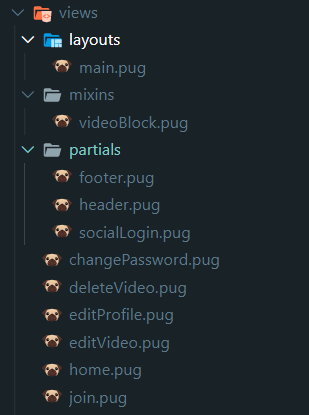
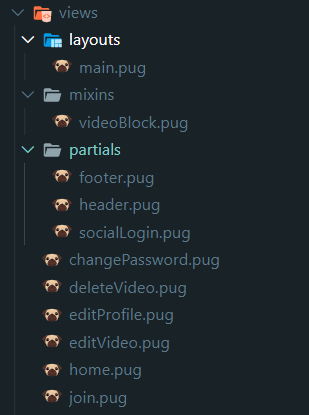
'프로젝트 작업 디렉토리 + /views'로 디폴트 path가 설정된다.
views폴더를 만들어 랜더링에 필요한 페이지.pug들을 만든다.
디렉토리 설정
변수 전달 1) 페이지 랜더링 할 때
// controller.js
export const home = (req, res) => res.render("home", { pageTitle: "Home" });res.render("home", { 변수 : " 값 " }
.render(): respond객체의 메소드이다.
첫번째 인자("home")는 템플릿이름, (home.pug를 랜더링한다. 확장자는 app.set에서 설정한대로 들어간다.)
두번째 인자{ ... }는 템플릿에 보낼 변수를 넣는다.
변수 전달 2) res.locals, 전역변수
//middleware.js (+ res.locals)
import routes from "routes.js"

export const localsMiddleware = (req, res, next) => {
	res.locals.siteName = "Welcome to Our Company";
	res.locals.routes = routes;  // routes자체를 전역적으로 사용하게 만듬
  next();
};

// res.locals.변수명="값"
// 변수를 전역적으로 사용할 수 있다.
// app.js
import { localsMiddleware } from "./middlewares.js";
app.use(localsMiddleware);
변수 사용: PUG에서
컨트롤러, 미들웨어에서 받은 변수를 사용하기 위해선 변수이름을 그냥 쓰면된다.
form(action=routes.login, method="post")

a(href="/video/car/") Join
// 경로를 ""로 직접 주면, 경로 수정시 일일이 바꿔야하는 번거로움이 있다.

a(href=routes.join) Join
// 경로를 변수로 설정하면 효과적으로 변수를 관리할 수 있게 된다.
# { 변수 }: 한 행에서 문자열과 변수를 같이 사용할 때
h3 Searching for #{searchingFor}`${ 변수 }`: 문자열과 변수를 한 곳에 담을 때 `${}`를 사용하여 담는다.
form(action=`/videos${routes.upload}`, method="post", enctype="multipart/form-data")PUG 코드( 탭과 띄어쓰기를 혼동해서 쓰지 않게 주의 )
<span class="hello">
= span.hello
footer.footerClass // 태그: footer, 클래스: footerClass
.footer__icon // div:생략, 클래스: footer, 속성: iconhead
include ../partials/footer
//푸터 사용extends templates/layout
block content
h1 = pageTitle
// 레이아웃 사용
// block은 페이지마다 각각의 내용을 채워놓는 공간ul
each val, index in movies.genres
li= val
//each문, 각각의 요소의 개수에 따라 리스트를 생성